















The “Zero-Overhead” Strategist: Orchestrating a Multi-Agent Research Squad in Google Workspace
Learn to build a "Zero-Overhead" Multi-Agent Research Squad using Gemini API and Google Workspace. Automate market intelligence, reduce SME costs, and master autonomous AI orchestration with this step-by-step technical guide.

The Value Proposition: Breaking the SME Growth Trap
In the lifecycle of every Small to Medium Enterprise (SME), there is a recurring bottleneck: The Intelligence Gap. As a founder or lead engineer, you need real-time market data, competitor analysis, and technical trend reports to stay competitive. However, hiring a dedicated research team adds significant overhead, while manual research drains high-value engineering hours.
We have officially moved past the era of "Chatting with AI." We are now in the Agentic Era. This tutorial will show you how to build a fully autonomous Multi-Agent Research Squad that lives inside your Google Workspace. By the end of this guide, you will have a system that scans the web, analyzes data against your specific business logic, and drafts executive briefings—all while you sleep, and with zero additional payroll.
1. The Architecture: Multi-Agent Orchestration
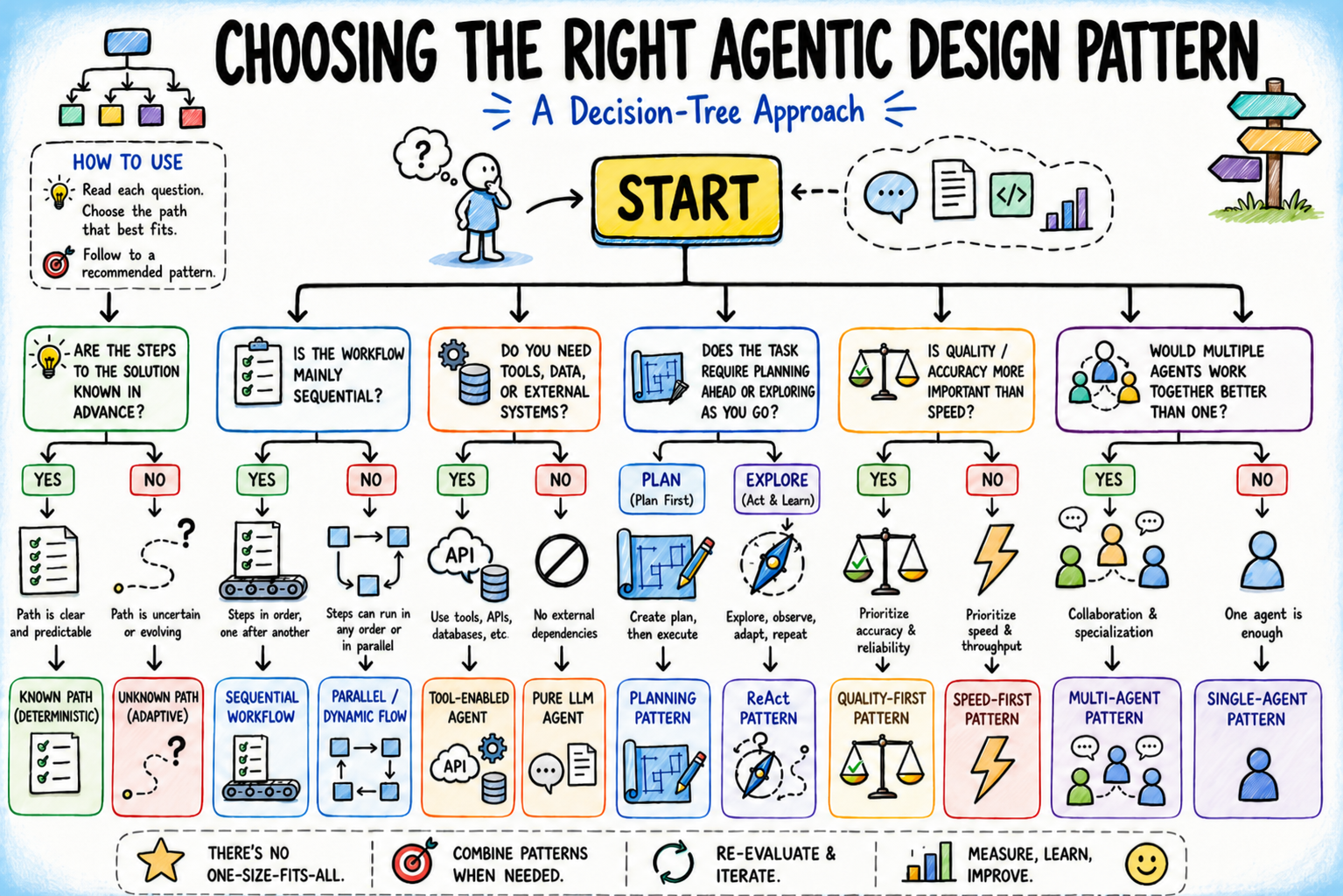
Instead of using one general-purpose prompt, we will use Agentic Workflows. We’ll break a complex task into three specialized personas:
- The Scout (Search Agent): Uses the Gemini API with Google Search grounding to find "fresh" data.
- The Analyst (Logic Agent): Processes the Scout’s findings, filtering for relevance and "signal" versus "noise."
- The Editor (Reporting Agent): Synthesizes the analysis into a polished Google Doc or email.
Why this works: For those familiar with robotics and IoT, think of this as a closed-loop control system. The Scout is your sensor (input), the Analyst is your controller (processing), and the Editor is your actuator (output).
2. The Tech Stack
To keep this "Zero-Overhead," we are leveraging tools you likely already use:
- Google Sheets: Our "State Management" database.
- Google Apps Script: Our orchestration engine (The "Glue").
- Gemini 1.5 Pro API: The reasoning engine (Free tier available for developers).
- Google Docs API: Our final delivery medium.
3. Step-by-Step Implementation
Step 1: Setting up the "State Database"
Create a Google Sheet with the following headers:
- Column A: Research Topic (e.g., "Competitor advancements in Solid-State Batteries")
- Column B: Raw Data (Scout’s Output)
- Column C: Analysis (Analyst’s Output)
- Column D: Status (Pending/Complete)
Step 2: Provisioning the Brains
Head to the Google AI Studio and generate an API key for Gemini 1.5 Pro. This model is preferred for its massive context window, allowing it to "read" entire competitor whitepapers if necessary.
Step 3: The Orchestration Script (The Glue)
Open your Google Sheet, go to Extensions > Apps Script, and replace the editor with the logic below. This script acts as the "Manager" that calls the agents in sequence.
JavaScript
const GEMINI_API_KEY = 'YOUR_API_KEY_HERE';
const GEMINI_URL = `https://generativelanguage.googleapis.com/v1beta/models/gemini-1.5-pro:generateContent?key=${GEMINI_API_KEY}`;
function runResearchSquad() {
const sheet = SpreadsheetApp.getActiveSpreadsheet().getActiveSheet();
const data = sheet.getDataRange().getValues();
// Iterate through rows where status is "Pending"
for (let i = 1; i < data.length; i++) {
if (data[i][3] === "Pending") {
const topic = data[i][0];
// 1. Call The Scout
const rawData = callGeminiAgent(topic, "You are a Scout. Find the 5 most recent technical breakthroughs in this field. Return summaries and URLs.");
sheet.getRange(i + 1, 2).setValue(rawData);
// 2. Call The Analyst
const analysis = callGeminiAgent(rawData, "You are a Senior Technical Analyst. Evaluate this data for SME market impact. What are the risks and opportunities?");
sheet.getRange(i + 1, 3).setValue(analysis);
// 3. Mark as Complete
sheet.getRange(i + 1, 4).setValue("Complete");
// 4. Trigger The Editor (Optional: Send Email)
sendExecutiveBriefing(topic, analysis);
}
}
}
function callGeminiAgent(input, systemInstruction) {
const payload = {
"contents": [{
"parts": [{
"text": `${systemInstruction}\n\nInput Data: ${input}`
}]
}]
};
const options = {
"method": "post",
"contentType": "application/json",
"payload": JSON.stringify(payload)
};
const response = UrlFetchApp.fetch(GEMINI_URL, options);
const json = JSON.parse(response.getContentText());
return json.candidates[0].content.parts[0].text;
}
4. Engineering the Persona Prompts
The secret sauce of a multi-agent system is the System Instruction. To get high-level output, you must define the "Agent's" constraints:
- The Scout's Prompt: "You are a specialized Web Crawler. Your goal is to bypass marketing fluff and find technical specifications, pricing changes, or patent filings. Be concise."
- The Analyst's Prompt: "You are a McKinsey-level strategist. Contrast the Scout's data against a standard SME budget. Identify 'Low-Hanging Fruit' for implementation."
5. Deployment: The "Set and Forget" Strategy
In Apps Script, click the Triggers (Clock Icon) on the left sidebar. Set runResearchSquad to run:
- Time-driven
- Weekly Timer
- Every Monday, 6:00 AM
Now, every Monday morning, your "Squad" will have scanned the market, analyzed the data, and updated your sheet (or emailed your briefing) before you even open your laptop.
The Strategic Edge
For a SME, this isn't just about saving time; it's about asymmetric capability. By automating the intelligence-gathering phase, you allow your human staff to focus entirely on execution. You are effectively running a "Deep Research" department for the cost of a few API calls.
As we continue to explore the intersection of AI, Robotics, and ML, the most successful entities will be those that view AI not as a tool, but as a workforce.
For more deep dives into autonomous AI orchestration and the future of quantum-ready intelligence, stay tuned to AI Quantum Intelligence. We provide the blueprints for the next generation of tech leaders.
Written/published by Kevin Marshall with the help of AI models (AI Quantum Intelligence).
What's Your Reaction?
 Like
2
Like
2
 Dislike
0
Dislike
0
 Love
0
Love
0
 Funny
0
Funny
0
 Angry
0
Angry
0
 Sad
0
Sad
0
 Wow
1
Wow
1