













Top RPA Tools: The Ultimate Guide to Best Automation Tools in 2026
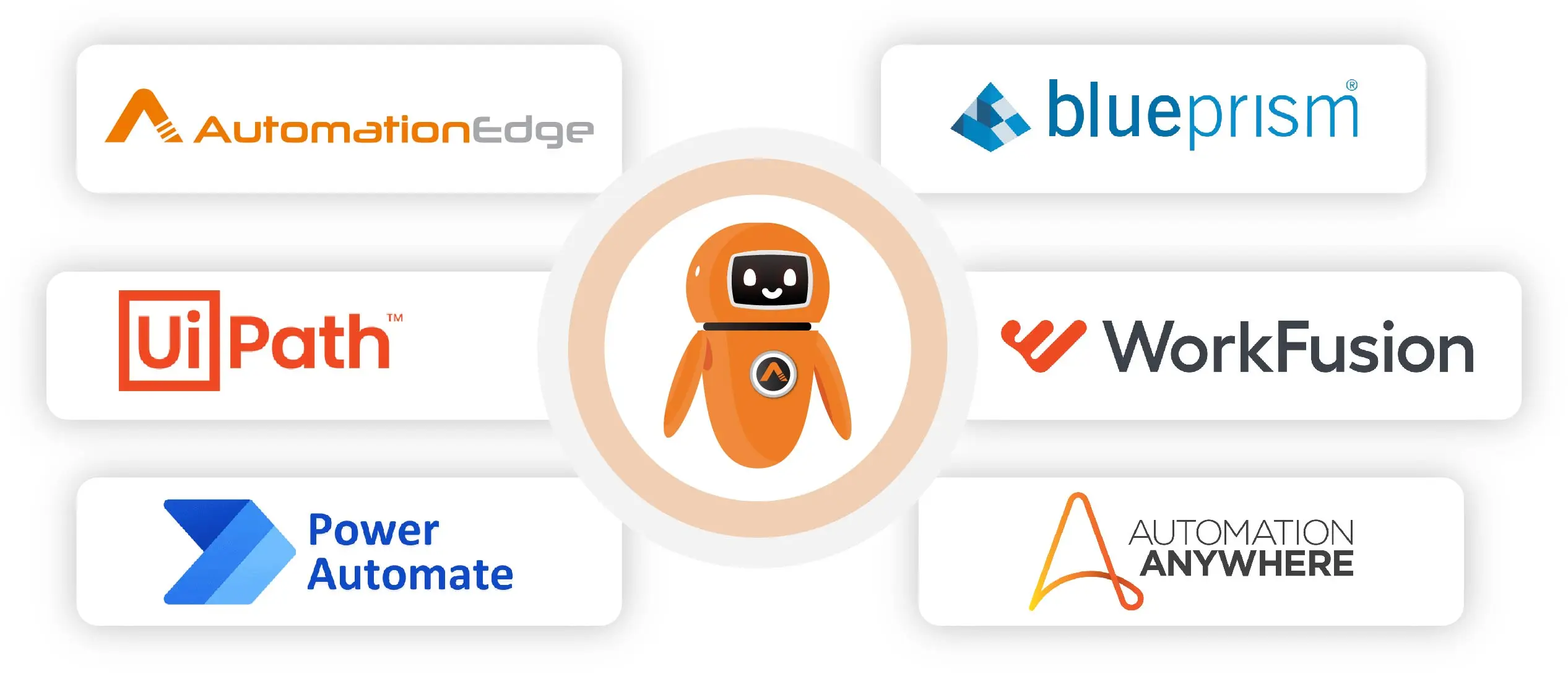
In 2026, Robotic Process Automation (RPA) continues to transform business processes. Choosing the best RPA tools for intelligent automation is crucial for organizations aiming to reduce manual effort, improve efficiency, and scale operations. This guide reviews the top automation tools, including AutomationEdge, UiPath, Blue Prism, Automation Anywhere, Power Automate, and WorkFusion, helping you select the ideal solution for your enterprise.
What is RPA?
Robotic Process Automation (RPA) is a technology that allows organizations to automate repetitive, rule-based tasks typically performed by human workers. RPA uses software robots, or “bots,” to mimic the actions of a human interacting with digital systems. These bots can perform various tasks, such as data entry, processing transactions, managing records, and communicating with other digital systems. The RPA tools demand go beyond simple task automation, offering comprehensive intelligent automation solutions.
- Modern RPA Capabilities
- Advanced AI and GenAI integration
- Intelligent document processing
- Natural language understanding
- Predictive analytics
- Cross-platform integration
- Cloud-native capabilities
Key Characteristics of Modern RPA Tools
The new-gen RPA tools have Gen-AI, AI and ML capabilities. A Gen-AI chatbot communicates like a human, understanding users’ language, resolving queries, or solving incidents. It can search knowledge base articles and resolve employees’ queries. GenAI and ML can mimic human actions, like decision-making, can do document extraction from unstructured data without needing to create templates for each type of document
- Rule-Based Automation: RPA bots follow predefined rules and instructions to perform tasks.
- User Interface Interaction: Bots interact with applications and systems through their user interfaces, just like humans do.
- Non-Invasive: RPA does not require changes to underlying systems or applications.
- Scalability: RPA can be scaled up or down based on business needs.
- Cost Efficiency: Reduces operational costs by automating labor-intensive tasks.
- Connectors to target systems.
- API integrations and more…
What is an RPA Tool?
An RPA tool is a software application that facilitates the creation, deployment, and management of RPA bots. These tools provide a development environment where users can design automation workflows, usually through a visual, drag-and-drop interface. RPA tools also offer capabilities for monitoring, scheduling, and managing bots.
Why Implement RPA Tools? Key Benefits for Businesses
Implementing RPA tools helps businesses automate repetitive tasks, reduce errors, and save time. In 2026, organizations leveraging intelligent automation gain faster decision-making, improved efficiency, and cost savings while freeing employees to focus on strategic work.
- Increased Productivity: Bots perform repetitive tasks faster than humans.
- Cost Efficiency: Reduce operational costs by automating labor-intensive tasks.
- Error Reduction: Ensure consistent and accurate results across processes.
- Scalable Automation: Easily scale workflows as business demands grow.
- Enhanced Compliance: Maintain audit trails and regulatory adherence automatically.
- AI-Powered Insights: GenAI and analytics enable smarter decision-making.
RPA Tools Comparison
This listicle is relevant to prospects who want to replace their existing tool or could be first-time buyers.
-
AutomationEdge
1. Platform Capabilities
- Offers a unified platform for both IT automation and business process automation
- Includes advanced capabilities such as:
- Ticket auto-resolution
- Generative AI chatbots
- Machine learning–driven automation
- Supports rapid API integrations across enterprise systems
2. Performance & Scalability Advantages
Delivers multi-level parallelism to significantly reduce total cost of ownership (TCO)
| Capability | Description | Impact |
|---|---|---|
| Hyper Threading | A single bot can run multiple automations in parallel | 4× higher capacity and throughput |
| Multi-Threading | Processes large data records in batches | Up to 100× faster automation |
3. Universal Agent & Extensible Platform
- AutomationEdge Agents support a wide range of automation types:
- RPA, ETL, IT automation, and business automation
- SOAP, iPaaS, and API integrations
- NLP, ML, and GenAI workflows
- Enables end-to-end automation across front-office and back-office operations
- Eliminates the need for multiple tools and technologies
- Helps reduce TCO by up to 50%
4. Licensing & Deployment Flexibility
| Optimal Licensing Model | Deployment Options |
|---|---|
|
|
5. Automation Development & Ease of Use
| Feature | Description |
|---|---|
| Drag-and-Drop Designer | Enables business users to build automations easily |
| No-Code / Low-Code Options | Supports both non-technical users and developers |
| Developer Flexibility | Allows pro-developers to write advanced scripts |
| Training & Learning | Robust training programs and online resources |
6. Ready-to-Use Plugins
- Offers 750+ pre-built plugins
- Automates processes across major enterprise applications
- Significantly reduces development time and effort
7. Customer Success with AutomationEdge
| Area | Value Delivered |
|---|---|
| Value-Led Hyperautomation | Focused on measurable business outcomes |
| Global Delivery Model | Seamless implementation across regions |
| Factory Model | Streamlines large-scale RPA migration |
| Dedicated CSM | Named Customer Success Manager for ongoing success |
| OEM Involvement | Direct AutomationEdge participation alongside partners |
-
UiPath
The strengths of the UiPath RPA platform include:
- Innovative productivity tools like task capture for process documentation
- Drag-and-drop visual designer for easy bot development
- Orchestrator for centralized bot management and scheduling
- Extensive training resources and community edition for learning
- Integration with best-of-breed AI and cognitive technologies
- Flexible pricing and deployment options
-
Blue Prism
The strengths of the Blue Prism RPA platform include:
- Robust and scalable architecture for enterprise-grade deployments
- Object-oriented approach allows reuse of process objects.
- Centralized release management and version control
- Drag-and-drop visual designer for process automation.
- Focus on governance, security, and compliance.
-
Automation Anywhere
The strengths of the Automation Anywhere RPA platform include:
- Intuitive interface for bot development without coding skills
- Distributed architecture with a centralized control room for bot management
- Macro recorder to easily record and run repetitive tasks
- High level of security and compliance certifications like SOC 1/2, ISO 27001
- Cognitive IQ Bot for intelligent document processing
- Large partner ecosystem and customer base across industries
- Strong customer base in regulated industries like financial services
-
Power Automate
Power Automate, part of the Microsoft Power Platform, offers integrated RPA capabilities within the Microsoft ecosystem. Its Strengths include:
- Integration: Excellent integration with Microsoft products and services.
- Ease of Use: User-friendly with pre-built templates and connectors.
- Cost-Effective: Affordable pricing, especially for existing Microsoft customers.
- Cloud Integration: Strong cloud capabilities leveraging Azure.
-
WorkFusion
The strengths of the WorkFusion RPA platform include:
- Intelligent Automation platform combining RPA, AI, OCR, and machine learning
- Business process modeling for end-to-end automation
- Automated machine learning capabilities
- Bot analytics for process optimization
- Enterprise-grade scalability and security
- Flexible deployment models – SaaS, cloud or on-premises
Why AutomationEdge Is Different: Key Differentiators Explained
AutomationEdge stands out in the RPA market because it combines IT automation, business process automation, and AI-driven capabilities into a single unified platform.
- Unified Platform for End-to-End Automation
AutomationEdge automates IT operations, business processes, workflows, ETL, API tasks, ML models, NLP, and GenAI—without needing separate tools. - 4X Throughput With Hyper-Threading & Multi-Threading
Its architecture allows a single bot to run multiple tasks in parallel and process large data batches up to 100X faster, reducing total automation time drastically. - 750+ Ready Plugins for Faster Deployment
Pre-built connectors reduce development effort, accelerate go-live, and support rapid integration with core enterprise systems. - Transparent, Cost-Efficient Licensing
Unlike traditional RPA platforms, AutomationEdge charges only for bots, not for extra components—cutting overall TCO by up to 50%. - GenAI-Enabled Automation for IT, HR & Finance
With GenAI chatbots, natural language workflows, and intelligent document processing, AutomationEdge delivers smarter and more autonomous automation at scale. - Universal Agent with High Flexibility
Execute any automation—RPA, IT automation, ETL, iPaaS, batch processing, API automation—from a single agent.
Conclusion
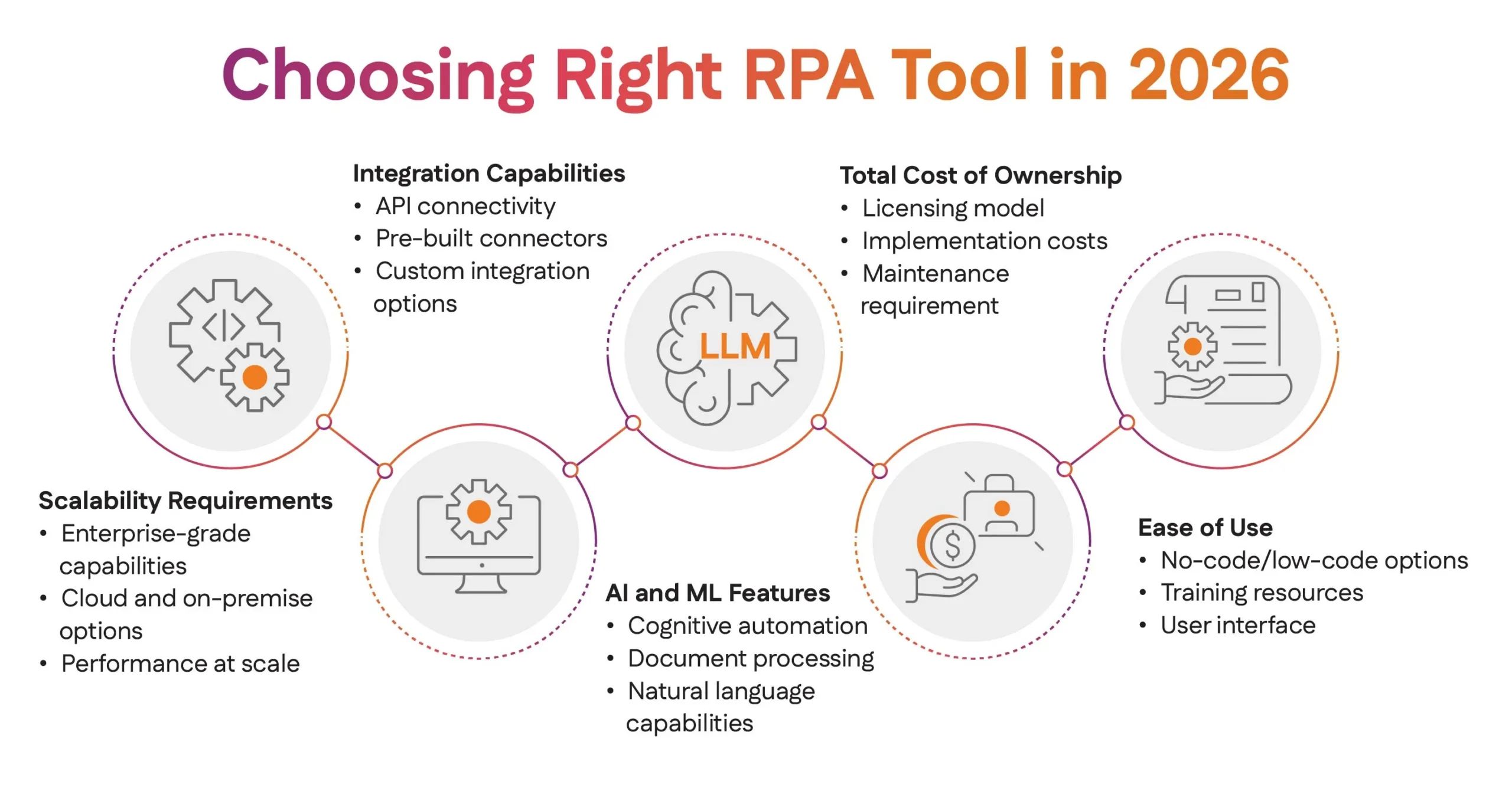
When selecting from the best tools for RPA automation, consider your organization’s specific needs, scalability requirements, and budget constraints. AutomationEdge stands out for its cost-effectiveness and advanced features, while other tools offer unique advantages for specific use cases.
The RPA tool in demand will be the one that best aligns with your digital transformation goals while providing the flexibility to adapt to future technological advances. Evaluate each platform’s strengths against your requirements to make an informed decision that supports your long-term automation strategy.
Frequently Asked Questions
The post Top RPA Tools: The Ultimate Guide to Best Automation Tools in 2026 appeared first on AutomationEdge.
What's Your Reaction?
 Like
0
Like
0
 Dislike
0
Dislike
0
 Love
0
Love
0
 Funny
0
Funny
0
 Angry
0
Angry
0
 Sad
0
Sad
0
 Wow
0
Wow
0